

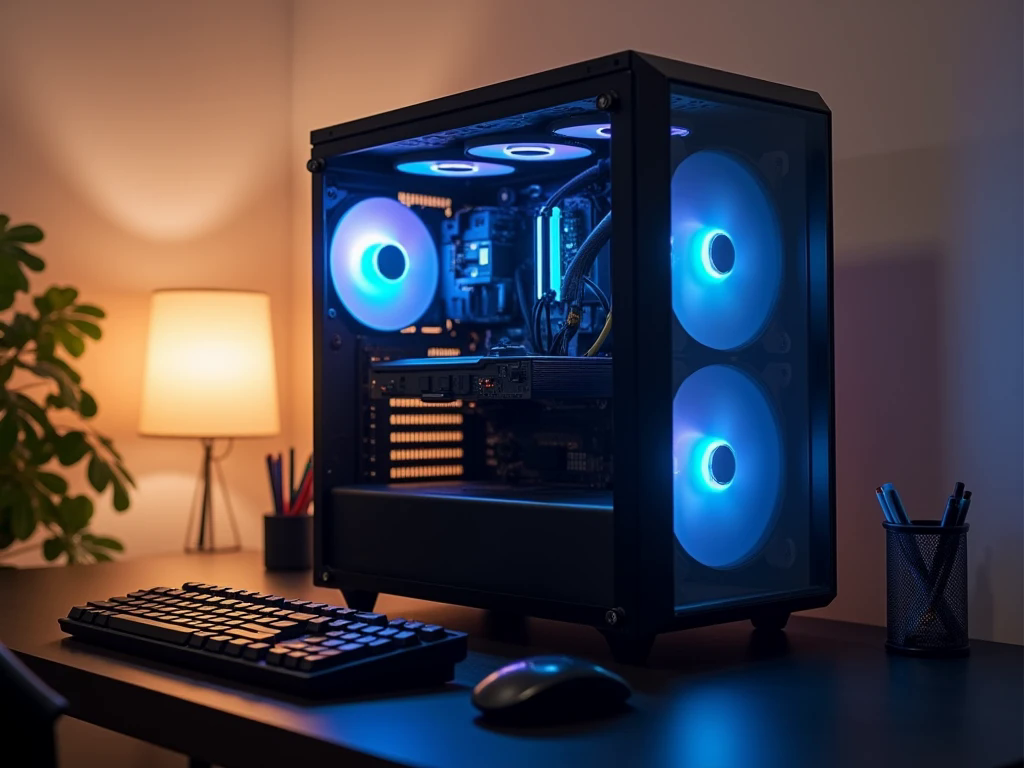
Entry Level Gaming PC UAE: How to Get the Best Performance on a Budget

Choosing your first gaming computer can feel challenging, especially when different processors, graphics cards, memory options, and storage configurations all promise better performance. Beginners often assume that a capable gaming setup requires expensive components, but a carefully planned system can deliver an enjoyable experience without stretching the budget.
When exploring an Entry level gaming PC buyers should focus on practical specifications, game requirements, and upgrade possibilities rather than simply choosing the most expensive hardware available. The UAE market offers different configurations for casual players, students, and people who want to explore PC gaming for the first time. Understanding how each component contributes to overall performance makes it easier to compare available options. With a clear budget and realistic expectations, you can select a computer that handles your favourite games comfortably while leaving room for future improvements.
Start With the Games You Want to Play
Before comparing computer specifications, identify the games you plan to enjoy. Different titles place different demands on system hardware, so your gaming habits should influence your component choices.
Competitive games such as Valorant, Counter-Strike 2, and Fortnite can run well on appropriately configured entry-level systems. However, newer open-world adventures and demanding simulation games may require stronger graphics hardware and additional memory.
Consider these questions before making a purchase:
-
Will you mainly play competitive multiplayer games?
-
Do you prefer story-driven games with detailed graphics?
-
Are you interested in streaming or recording gameplay?
-
Would you also use the computer for studying, browsing, or creative applications?
Answering these questions helps establish realistic performance expectations and prevents spending money on components that do not support your actual needs.
Choose a Graphics Card That Matches Your Budget
The graphics card is one of the most important components in a gaming computer because it processes the visuals displayed on your monitor. Its performance directly influences resolution, graphical quality, and frame rates in many games.
For an entry-level setup, choose a GPU designed for comfortable 1080p gaming. The best option depends on your preferred titles, available budget, and whether you want to use higher graphical settings.
When comparing graphics cards, pay attention to:
-
Available video memory (VRAM).
-
Performance in the games you play.
-
Power consumption and cooling requirements.
-
Compatibility with your monitor and power supply.
A balanced graphics card is generally a better investment than an expensive model paired with an underpowered processor. Think about your complete system rather than evaluating the GPU independently.
Select a Processor for Consistent Gaming Performance
The processor manages game instructions, background applications, and many other computing tasks. A suitable CPU helps maintain smooth gameplay and prevents the graphics card from being held back by an unsuitable processor.
Modern entry-level systems can benefit from capable AMD Ryzen 5 or Intel Core i5 processors, depending on their generation and specifications. However, the model number alone does not determine gaming performance. Compare actual capabilities, compatibility, and overall value.
A good processor should provide:
-
Reliable performance in modern games.
-
Enough processing capacity for everyday applications.
-
Compatibility with the selected motherboard.
-
A reasonable upgrade path where possible.
You do not necessarily need a high-end CPU for your first gaming computer. Choosing a processor that complements your graphics card is a more practical way to manage your budget.
Get the Right RAM and Storage Configuration
Memory and storage influence how comfortably your computer handles games and everyday workloads. Insufficient RAM can cause slowdowns when multiple applications are running, while traditional hard drives generally offer slower loading times than solid-state drives.
For many modern gaming setups, 16GB of RAM is a sensible starting point. It provides room for most mainstream games and common background applications. If your budget allows, selecting a motherboard that supports future memory expansion can make upgrades easier.
An NVMe SSD is also worth prioritising. It can reduce operating system startup times, improve application responsiveness, and shorten game loading periods compared with a traditional hard drive.
Before choosing a configuration, consider:
-
Whether the memory operates in dual-channel mode.
-
The motherboard's supported RAM capacity.
-
SSD capacity for your game library.
-
Available storage slots for future expansion.
A practical combination of sufficient memory and fast storage can make an entry-level computer feel responsive beyond gaming alone.
Pay Attention to Cooling and Airflow in the UAE
Cooling deserves particular attention when selecting a gaming computer in the UAE. Higher ambient temperatures can make it more challenging for a system to maintain comfortable operating temperatures, especially during extended gaming sessions.
A computer does not need an elaborate liquid-cooling setup to perform reliably. A suitable CPU cooler, properly positioned case fans, and a case with good ventilation can provide effective cooling for many entry-level configurations.
Look for a cabinet that offers:
-
A ventilated front panel or suitable airflow openings.
-
Enough space for the selected graphics card.
-
Properly positioned intake and exhaust fans.
-
Convenient access for cleaning dust filters.
Good airflow helps maintain stable operating conditions and supports consistent performance. Keeping the computer clean and allowing sufficient space around its ventilation areas are also useful maintenance habits.
Never Compromise on the Power Supply
The power supply unit is often overlooked when buyers compare gaming PC specifications. However, it provides electricity to every major component, making its quality important for system reliability.
Choose a PSU with enough wattage for your processor, graphics card, and other hardware. Check the manufacturer's recommended power requirements and leave reasonable capacity for normal system demands.
Efficiency certification can help compare power supplies, but it should not be the only deciding factor. Build quality, electrical protections, warranty coverage, and manufacturer reputation also matter.
Avoid choosing an unreliable power supply simply to save a small amount. A dependable PSU supports the entire computer and can remain useful when you upgrade other components later.
Compare Custom and Prebuilt Gaming Computers
First-time buyers in the UAE can consider both custom-built and prebuilt gaming computers. Each option offers different advantages depending on your technical knowledge, available time, and preferences.
A custom configuration allows you to select individual components according to your requirements. It can provide greater control over the graphics card, processor, storage, cooling, and future upgrade options.
A prebuilt computer offers convenience because the system arrives assembled. It may be a practical choice for beginners who want to start gaming without researching every compatibility detail themselves.
When comparing systems, examine the complete component list rather than relying on broad descriptions such as gaming-ready or high-performance. Check the exact CPU, GPU, RAM, SSD, PSU, and motherboard specifications.
Hextech Computer UAE is one option buyers can explore when comparing gaming PC configurations and looking for a setup that matches their requirements.
Plan for Future Upgrades Without Overspending
Your first gaming computer does not need to include every feature you might eventually want. A sensible entry-level configuration should provide reliable performance today while allowing selected components to be upgraded later.
For example, you may begin with 16GB RAM and expand the memory when your workload increases. Additional SSD storage can accommodate a growing game library, while a future graphics card upgrade may improve gaming performance.
Before purchasing, check whether the motherboard supports your intended upgrade plans and whether the case and PSU can accommodate potential hardware changes.
It is also worth considering your monitor. A powerful graphics card may not provide its full benefit if you are using a display that does not support the resolution or refresh rate you want.
Conclusion
Selecting the right first gaming computer is about finding a balance between performance, reliability, and affordability. Start with your favourite games, choose a suitable graphics card and processor, and give proper attention to RAM, SSD storage, cooling, and power supply quality. Buyers comparing an Entry level gaming PC UAE should also consider component compatibility, warranty support, and future upgrade options before making a decision. A carefully selected configuration can provide an enjoyable gaming experience without requiring unnecessary spending. By comparing complete specifications instead of focusing on individual marketing claims, beginners can make a more confident purchase and build a setup that remains useful as their gaming interests develop.
Frequently Asked Questions
1. Is an entry-level gaming PC suitable for modern games?
Yes. A properly configured entry-level gaming PC can run many popular games, particularly at 1080p resolution. Actual performance depends on the graphics card, processor, memory, and requirements of each game.
2. How much RAM should a beginner gaming PC have?
For many modern gaming setups, 16GB of RAM is a practical starting point. It offers sufficient capacity for numerous games and everyday applications, although demanding workloads may benefit from additional memory.
3. Where can I explore entry-level gaming PC options in the UAE?
You can explore configurations from Hextech Computer and compare their component specifications, pricing, and available support to identify a setup that matches your gaming requirements.


