


Biometric Door Access in 2026: Smarter Security, Touchless Entry & Modern Access Control
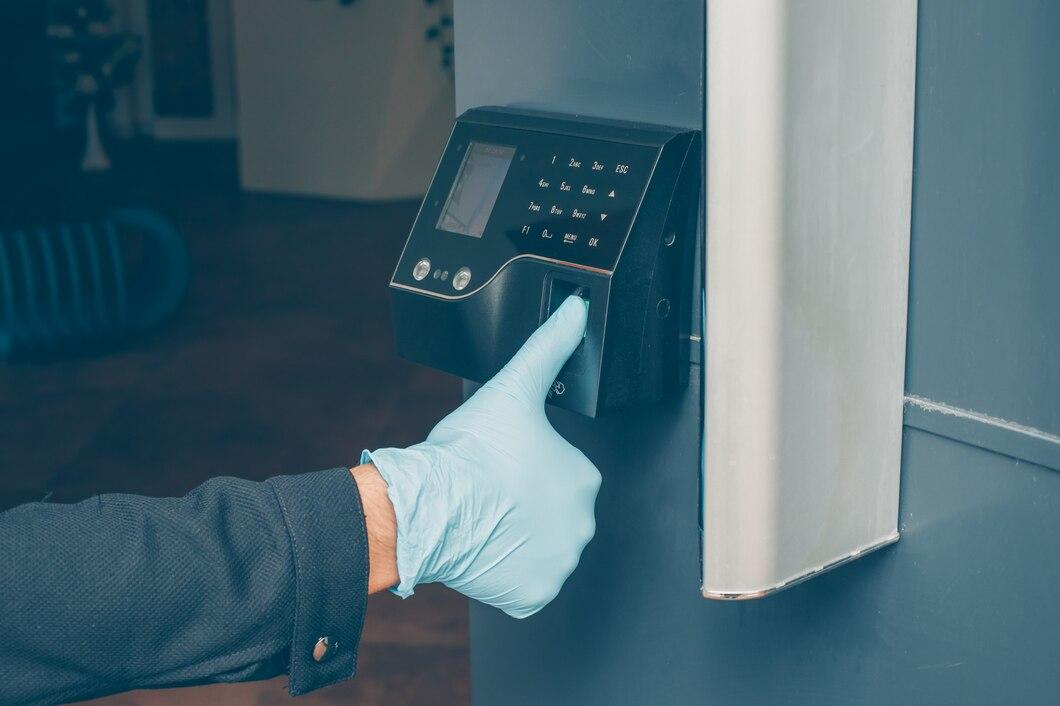
In 2026, biometric door access is becoming a practical choice for organizations and property owners looking to improve security without making entry complicated. Biometric door access uses unique human characteristics such as fingerprints, facial features, or iris patterns to verify identity before opening a door. Unlike traditional keys and access cards, biometric door access can provide a faster, more personalized entry experience while helping businesses manage who enters specific areas.
With smarter devices, connected systems, and increasingly touchless workplaces, biometric door access is moving from a premium security feature toward a mainstream access-control solution.
Why Biometric Door Access Is Trending in 2026
The way people enter buildings is changing. Physical keys are still useful, but businesses increasingly want systems that are easier to manage, harder to misuse, and capable of producing useful access records.
Several technology trends are influencing modern door security:
- Touchless authentication: Facial recognition reduces the need to touch a scanner.
- Mobile connectivity: Administrators can increasingly manage access through connected software and mobile devices.
- Cloud-based management: Multi-location businesses can manage users and permissions from a central platform.
- Real-time monitoring: Modern systems can provide access events and alerts for security teams.
- Multi-factor authentication: Biometrics can be combined with PINs, cards, mobile credentials, or other verification methods.
- Better user management: Businesses can add, modify, or remove authorized users without replacing physical keys.
- Integration: Access systems can connect with attendance, visitor management, surveillance, and building-security platforms.
The result is an access system that can do more than simply unlock a door.
What Is a Biometric Door Access System?
A biometric door access system identifies an individual using a biological or behavioral characteristic. The reader captures a biometric sample and compares it with an enrolled template.
Common biometric technologies include:
1. Fingerprint Recognition
Fingerprint readers analyze patterns in a person's fingerprint to verify identity.
Advantages include:
- Quick authentication
- Convenient daily use
- No physical card required
- Suitable for employee access
- Useful for attendance and access applications
Fingerprint authentication is particularly common in offices, warehouses, schools, and restricted areas.
2. Face Recognition
Facial recognition uses a camera and recognition algorithms to identify an authorized person.
It is especially attractive for locations where touchless entry is preferred. Users can approach the terminal, allow the system to verify their face, and receive access without touching a reader.
This can be useful for:
- Corporate offices
- Hotels
- Residential buildings
- Laboratories
- Healthcare facilities
- Commercial premises
3. Iris Recognition
Iris recognition analyzes distinctive patterns in the eye.
It can provide a high level of identity verification, although the cost and environmental requirements can make it less common than fingerprint or facial recognition systems.
4. Multi-Modal Biometrics
Some advanced systems combine multiple authentication methods.
For example:
Face + PIN + RFID card
or
Fingerprint + PIN
Multi-modal authentication can be valuable where stronger verification is required.
Biometric Door Lock vs. Traditional Door Lock
A conventional door lock primarily depends on a physical key. An electronic access system may use cards, PINs, or mobile credentials. A Biometric Door Lock, however, can use a person's unique biometric information as the primary authentication method.
| Feature | Traditional Lock | Electronic Access | Biometric Door Lock |
|---|---|---|---|
| Physical key | Usually required | Not always | Not required for biometric entry |
| Fingerprint | No | Usually no | Yes |
| Face recognition | No | Usually no | Available on selected systems |
| User management | Limited | Yes | Yes |
| Access records | No | Usually available | Commonly available |
| Lost-key/card problem | Higher | Possible | Reduced |
| Touchless entry | No | Possible | Possible |
| Centralized control | No | Yes | Yes, depending on system |
The right solution depends on the building, security requirements, number of users, budget, and existing infrastructure.
Key Benefits of Biometric Door Access
1. Improved Access Security
Biometric authentication connects access with an individual's unique characteristics rather than relying only on something they possess, such as a keycard.
This can help reduce problems associated with:
- Lost access cards
- Shared credentials
- Unauthorized key duplication
- Forgotten keys
- Misused PINs
No security technology is completely risk-free, so organizations should still use appropriate system configuration, device protection, and backup authentication methods.
2. Faster Entry
Employees may enter a building multiple times every day.
If authentication takes only a few seconds, the difference can become significant across hundreds of daily access events.
For example, consider:
- 100 employees
- 4 entries per employee each day
- 3 seconds saved per entry
That represents 1,200 seconds, or 20 minutes, of combined entry time per day.
Across a working month, small improvements can add up.
3. No Need to Carry Traditional Keys
A fingerprint or face can replace the need for a physical key in many applications.
This is particularly useful for employees who frequently move between departments, offices, storage areas, or restricted zones.
4. Better User Management
An administrator can create different access permissions for different people.
For example:
Employee A: Main entrance + office floor
Employee B: Main entrance + server room
Employee C: Main entrance only
Manager: Main entrance + restricted areas
This makes access control more structured than giving everyone identical keys.
5. Access Monitoring
Many modern biometric systems maintain logs showing events such as:
- Who accessed an area
- When access occurred
- Whether access was granted or denied
- Which door was used
- Authentication method used
These records can help organizations investigate unusual activity and maintain better operational visibility.
How a Biometric Door Lock Works
Although the technology can appear sophisticated, the basic process is straightforward.
1. User Enrollment
An administrator registers an authorized user's fingerprint, face, or another biometric characteristic.
2. Biometric Capture
The user approaches the biometric reader.
The device captures the required biometric information.
3. Identity Verification
The system compares the captured information with an enrolled biometric template.
4. Access Decision
If the verification meets the configured requirements, the controller releases the electronic lock.
5. Event Recording
Depending on the system, the access event may be recorded for later monitoring or reporting.
The process usually takes only a few seconds, although actual performance varies by device, environment, authentication method, and system configuration.
Choosing the Right Biometric Door Lock for Your Property
Not every biometric lock is suitable for every building.
Before purchasing a system, evaluate the following factors.
Security Requirements
Determine how sensitive the protected area is.
A small office entrance may have different requirements from a server room, laboratory, or high-security facility.
Number of Users
A system designed for 20 users may not be appropriate for an organization with 2,000 employees.
Check:
- User capacity
- Biometric template capacity
- Door capacity
- Administrator capacity
- Event-log capacity
Authentication Speed
For high-traffic entrances, slow authentication can create queues.
Look for systems designed for rapid recognition and test them under realistic conditions.
Environmental Conditions
Outdoor or semi-outdoor installations may experience:
- Bright sunlight
- Dust
- Rain
- Temperature changes
- Humidity
The selected hardware should be appropriate for its installation environment.
Connectivity
Decide whether the system needs:
- Ethernet
- Wi-Fi
- Bluetooth
- RS-485
- Wiegand
- Cloud connectivity
- Local network connectivity
The choice should also consider the existing access-control infrastructure.
Five Practical Steps to Implement Biometric Access
A successful installation is about more than purchasing the reader.
Step 1: Identify Protected Areas
List every entrance and restricted area that needs controlled access.
Separate public, employee-only, management, and high-security zones.
Step 2: Select Authentication Methods
Choose between:
- Fingerprint
- Facial recognition
- PIN
- RFID
- Mobile credentials
- Multi-factor authentication
For some locations, combining two methods may provide better protection.
Step 3: Establish User Permissions
Create access groups based on job responsibilities.
Avoid giving every employee unrestricted access.
Step 4: Configure Monitoring
Set up event logging, alerts, administrator permissions, and reporting where appropriate.
Step 5: Plan Backup Access
Consider what happens if:
- Power fails
- Network connectivity is lost
- A biometric reader becomes unavailable
- An employee cannot authenticate
- An emergency exit is required
A good access-control design should include appropriate fail-safe or fail-secure behavior based on the building's safety requirements.
Biometric Access and Privacy: What Businesses Should Consider
Biometric information is different from an ordinary password. If a password is compromised, it can be changed. A person's biometric characteristics cannot simply be replaced.
For that reason, organizations should take privacy and data protection seriously.
Before deploying a system, consider:
- Where biometric data is stored
- Whether templates or images are retained
- Who can access the data
- How long information is retained
- Whether data is encrypted
- How administrators are authenticated
- What happens when an employee leaves
- What local privacy and data-protection requirements apply
Organizations should also clearly communicate the purpose of biometric collection to users and establish appropriate policies.
What Makes Facial Recognition Useful for Door Access?
Facial recognition can be particularly useful in environments where touchless access matters.
A user does not necessarily need to stop and touch a fingerprint reader or search for an access card.
A well-designed facial recognition system can provide:
Approach → Recognition → Verification → Access
This can improve convenience in busy workplaces, hotels, residential properties, and commercial facilities.
However, performance can vary depending on lighting, camera placement, user positioning, device quality, and environmental conditions. These factors should be evaluated before installation.
Where Biometric Door Access Can Be Used
Biometric access technology can support many different environments.
Offices
Businesses can control employee access to entrances, meeting rooms, server rooms, and restricted departments.
Homes
A smart biometric lock can provide convenient keyless entry for residents.
Hotels
Hotels can use biometric or electronic access technologies to improve guest and staff access management, depending on the property's system design.
Commercial Buildings
Retail stores, warehouses, factories, and other facilities can use biometric authentication to control employee-only areas.
Schools and Educational Institutions
Access permissions can help restrict entry to administrative areas, laboratories, equipment rooms, and other controlled spaces.
Data Centers
Restricted environments can use stronger authentication methods to control access to critical infrastructure.
Maintenance Tips for Long-Term Performance
Even advanced technology needs regular maintenance.
Follow these practical recommendations:
- Clean biometric sensors according to the manufacturer's instructions.
- Keep facial-recognition cameras free from dirt and obstructions.
- Check door alignment regularly.
- Test emergency exit functions.
- Review access logs for unusual activity.
- Remove former employees promptly.
- Update system software and firmware when appropriate.
- Review administrator accounts periodically.
- Test backup authentication methods.
- Check power supplies and backup systems.
Regular maintenance can help prevent small hardware or configuration problems from becoming larger security issues.
The Future of Biometric Access in 2026 and Beyond
The next stage of access control is likely to focus on connected, intelligent, and frictionless security.
Instead of treating the door lock as an isolated device, organizations increasingly view access control as part of a wider security ecosystem.
Future-focused systems may connect access information with:
- Video surveillance
- Visitor management
- Employee attendance
- Building management
- Mobile applications
- Cloud dashboards
- Security alerts
- Smart automation
Artificial intelligence and improved recognition technologies may also contribute to faster and more adaptable authentication.
The important point is that better technology should not mean unnecessary complexity. The best access system is one that provides appropriate security while remaining practical for the people who use and manage it every day.
Conclusion
Biometric door access is becoming an important part of modern security because it combines identity verification, convenience, and centralized access management. Fingerprint readers, facial recognition terminals, and smart Biometric Door Lock solutions can reduce dependence on physical keys while giving organizations greater control over who can enter specific areas.
For 2026 and beyond, the focus is moving toward smarter and more connected access environments. Businesses should evaluate security requirements, user capacity, privacy, connectivity, installation conditions, and backup procedures before selecting a system. With the right planning, biometric technology can make everyday entry simpler while strengthening modern access-control operations.

 Arabic
 French
 Spanish
 Portuguese
 Deutsch
 Turkish
 Dutch
Dutch
 Italiano
 Russian
 Romaian
 Portuguese (Brazil)
 Greek
Greek