


Reliving the Blocky Dream: Your Guide to Eaglercraft
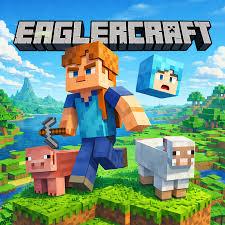
Have you ever found yourself sitting at a computer—perhaps on a restricted school Chromebook or an older laptop—craving a quick round of Minecraft, only to realize you can't install it? It is a frustrating feeling for any gamer on the go. Fortunately, the web-gaming community has a clever solution that brings the classic block-building experience directly to your browser without any downloads or installations required.
What is Eaglercraft?
At its core, Eaglercraft is a fully functional, browser-based port of Java Edition Minecraft. Developed by passionate programmers to run entirely in HTML5 and JavaScript, it allows players to load up a familiar voxel world right inside Google Chrome, Firefox, or Edge. You don’t need a high-end graphics card, a gaming rig, or administrator permissions on your device. You just need a web browser and an internet connection. It is essentially a bridge that makes one of the world's most popular sandbox games accessible virtually anywhere.
Gameplay and Experience
Diving into the game feels surprisingly authentic. When you load it up, you are greeted with the iconic menu screen. You can choose to play singleplayer, where you drop into a randomly generated world to chop down trees, mine for diamonds, and build shelter before night falls and the creepers spawn.
For those who prefer social gaming, the platform supports multiplayer servers. You can join public servers to play popular minigames like BedWars and SkyWars, or you can host a local world and invite friends who are on the same network. The controls are just as you remember: WASD to move, the spacebar to jump, the left click to break blocks, and the right click to place them. The rendering distance and frame rates are surprisingly smooth, considering it is running inside a browser tab.
Tips for the Best Experience
While playing in a browser is convenient, a few simple adjustments can make your session much more enjoyable:
- Tweak Your Settings: Just like the original game, you can open the options menu. If you notice any lag, lower your render distance and turn off fancy graphics or smooth lighting. This keeps the game running at a butter-smooth frame rate.
- Export Your Worlds: Because browser data can sometimes be cleared accidentally (or by school IT policies), make sure to periodically export your singleplayer world files to your local downloads folder. This ensures you never lose hours of hard work on your mega-base.
- Use a Mouse: While a trackpad works in a pinch, playing a first-person 3D game is significantly easier with a real computer mouse.
Conclusion
Playing video games shouldn't be complicated by hardware limitations or annoying installation blocks. Whether you are killing time between classes, taking a quick break from work, or just curious about how far browser technology has come, this clever project offers a fantastic way to enjoy a timeless classic. It proves that with a bit of ingenuity, great games can be played anytime, anywhere.

 English
 Arabic
 French
 Spanish
 Portuguese
 Turkish
 Dutch
Dutch
 Italiano
 Russian
 Romaian
 Portuguese (Brazil)
 Greek
Greek