


Useful Android Apps for Customization and Advanced Device Control
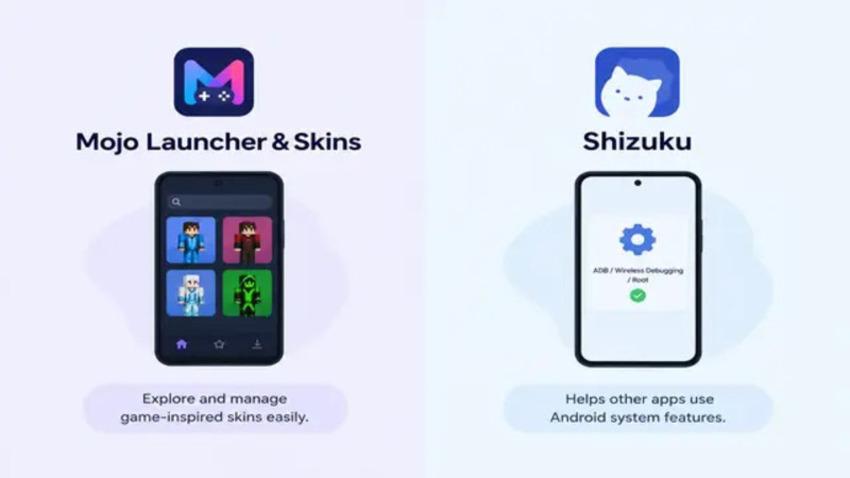
Android users get a lot of freedom to customize their devices, but many users want to control advanced features and tools of their Android device to explore new styles and personalize their gaming experience, while others need more control over how certain apps interact with Android's system features.
Here are two apps that fit these different needs: Mojo Launcher and Shuziku. Although they serve different purposes, both can be useful for Android users who want something beyond the standard experience.
Mojo Launcher
App Name: Mojo Launcher & Skins
Published By: Artdeell
Category: Tools
Mojo Launcher APK is worth checking out for Android users who love changing the look of their games or browsing different themes. It is designed around finding and managing game-inspired skins. The app has different skin categories, a search option, favourites, and a section for downloaded skins. This makes things fairly simple when you have several skins saved and want to find a particular one later.
Main Features of Mojo Launcher
The main idea behind the app is straightforward. You can browse available skins, look through different categories, save the ones you like, and manage your downloads from the app.
Some of its useful features include:
-
Open source
-
Version selection
-
Ad-free launching
-
Java Edition Support
-
Custom Touch Controls
-
Lightweight Design for Android
Mojo Launcher is an independent APK and is not affiliated with Mojang, Minecraft, or any official game brand. That is worth keeping in mind if you are specifically looking for an official Minecraft application.
Shizuku APK
App Name: Shizuku
Published By: Xingchen Rikka
Category: Tools
Shizuku APK is aimed at a completely different type of Android user. Instead of focusing on appearance or skins, it helps other compatible apps use Android system APIs with higher-level access through ADB or root privileges. Some apps on Android need to perform a task that standard app permissions do not allow. But with the Shizuku APK, that task can be performed because it creates an Android system API. It acts as a bridge or middle layer for Android devices.
Main Features of Shizuku APK
Shizuku APK is designed to make it easier for supported apps to use Android system APIs. After starting the Shizuku service, compatible apps can communicate with it and use the access they require.
Some of its useful features include:
-
Binder-Based API
-
Speed and stability
-
Wireless ADB support
-
Guided setup
-
Developer-friendly integration
Shizuku is mainly useful for Android users who use apps that need additional system access. Its functions and permissions can depend on the Android version, device, and the method used to start the Shizuku service.
Final Thoughts
Both apps target a particular type of Android user. Mojo Launcher keeps the focus on finding and organizing skins, while Shizuku deals with the more technical side of Android permissions and system APIs.
Before installing either app, it is a good idea to check its compatibility with your Android version and download it from a trusted source. For the Shizuku APK, understanding whether your device uses root, wireless debugging, or ADB will make the setup much easier.

 English
 French
 Spanish
 Portuguese
 Deutsch
 Turkish
 Dutch
Dutch
 Italiano
 Russian
 Romaian
 Portuguese (Brazil)
 Greek
Greek