


Why Arabic Checkout Screens Still Break UAE Mobile Apps
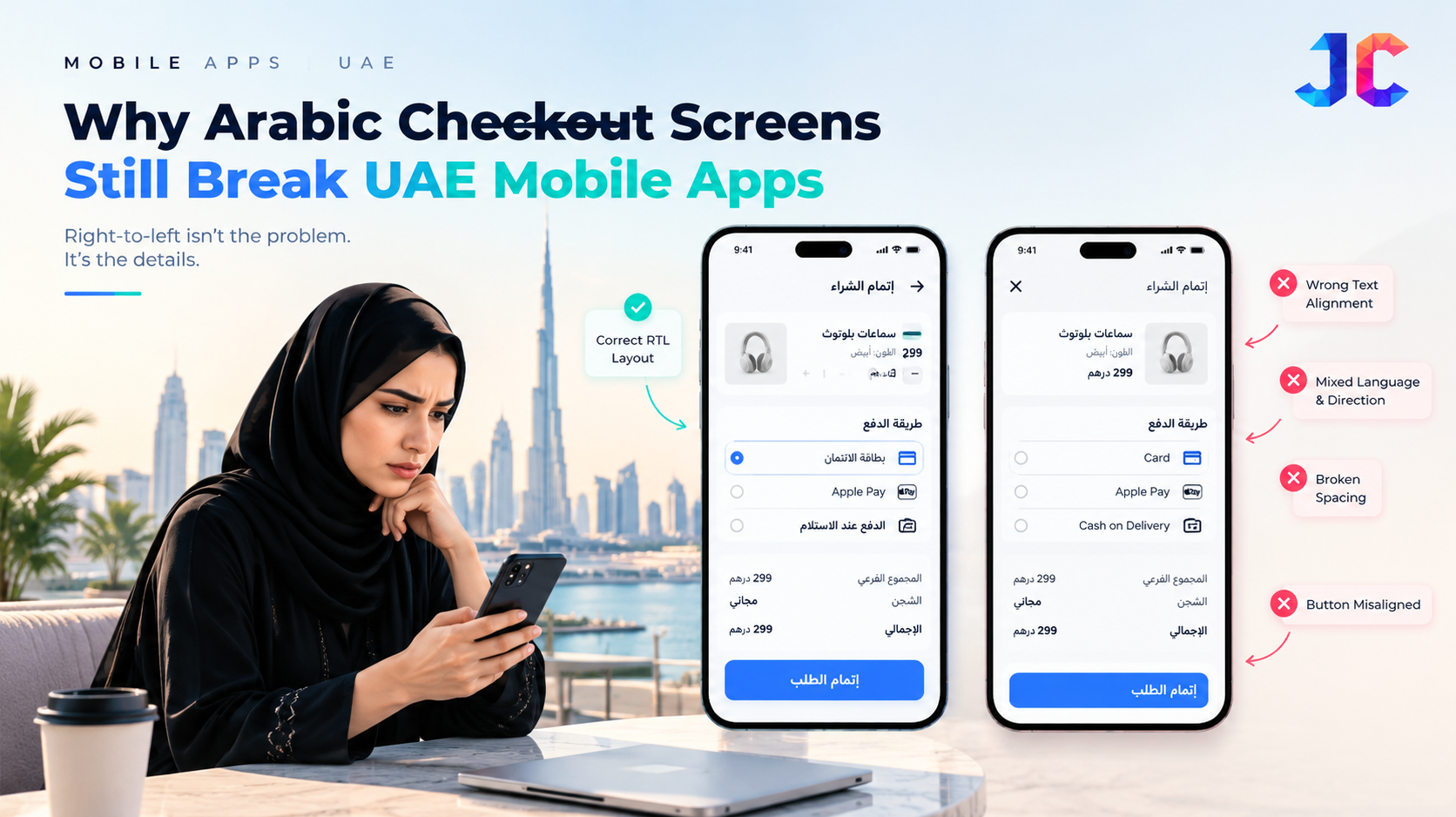
A mobile checkout can work perfectly in English and still become confusing when a customer switches to Arabic.
Buttons move to the wrong side. Product quantities become difficult to scan. Discount codes appear in unexpected positions. A payment form may technically support Arabic while important information remains visually awkward or difficult to understand.
These are not merely translation problems. They are interface engineering problems that can affect whether customers complete a transaction.
Why translating an app is not enough
Arabic reads from right to left, while URLs, email addresses, card numbers and many other interface elements follow different directional rules. Combining these elements on one screen requires more than reversing the layout.
Developers must consider bidirectional text rendering, alignment, field behaviour, icon direction and the relationship between labels and input values.
For example, an Arabic checkout form containing an English email address should preserve the correct reading order without shifting punctuation or making the address difficult to edit.
Where UAE mobile apps need more careful testing
Payment forms: Card numbers, expiry dates, security codes and currency values must remain easy to read and enter across supported languages.
Delivery addresses: Arabic street names, English building names and location details can appear together. Address fields should preserve their meaning when users switch languages.
Discount codes: Latin-character promo codes should not become confusing when placed inside right-to-left text.
Error messages: Validation messages must identify the correct field and explain how to resolve the problem, rather than simply displaying a generic error.
Small screens: A layout that looks correct on a large phone may break on smaller devices, particularly when Arabic text expands or users increase font sizes.
How developers can prevent these failures
A robust testing process should include more than checking whether Arabic translations appear on screen.
-
Test complete checkout journeys in both Arabic and English.
-
Verify mixed-direction text, numbers, currency values and punctuation.
-
Check keyboard behaviour, field alignment and error-message placement.
-
Test across different screen sizes and supported operating systems.
-
Measure task completion and identify where users abandon the process.
Teams should also test with native Arabic readers. Automated visual checks can identify layout defects, but they cannot reliably determine whether instructions feel natural or whether a checkout flow is genuinely understandable.
What this means for businesses in the UAE
As businesses serve customers with different language preferences, localisation becomes part of product quality rather than a final translation task.
A mobile app development company in UAE should consider Arabic interface behaviour during the design and architecture stages, not after the English version has already been completed.
Similarly, a mobile app development company in Dubai should evaluate localisation alongside payment integrations, accessibility, usability and device compatibility when building commerce applications for a multilingual market.
The objective is simple: switching languages should not change how confidently a customer can complete an essential task.
The overlooked advantage
Businesses often invest in new features while overlooking small interface defects that interrupt existing user journeys. A carefully tested Arabic checkout can be more valuable than another feature if it removes friction at the moment a customer is ready to pay.
The real test of localisation is not whether an app can display Arabic. It is whether the entire transaction remains clear, predictable and usable in Arabic.
One question for product teams: Have you tested your checkout with Arabic enabled from the first screen to the final payment confirmation, or only checked whether the translated interface looks correct?

 English
 Arabic
 French
 Spanish
 Portuguese
 Deutsch
 Dutch
Dutch
 Italiano
 Russian
 Romaian
 Portuguese (Brazil)
 Greek
Greek