


Gym Facility Booking Software: A Complete Guide for Modern Fitness Businesses
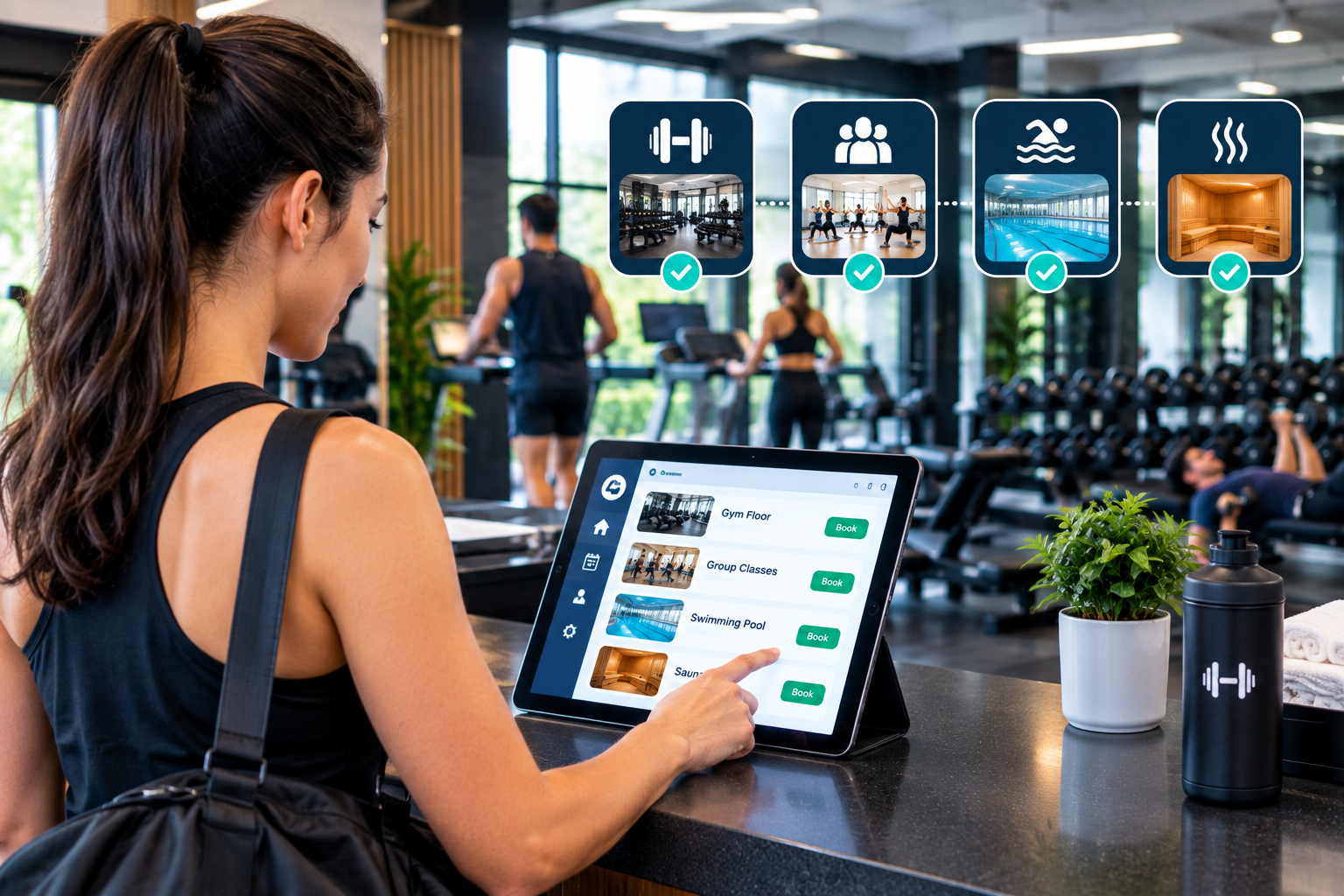
Running a gym today means juggling classes, personal training sessions, studio spaces, courts, and equipment, all while keeping members happy. Phone calls, paper registers, and scattered spreadsheets simply cannot keep up. This is why more owners are switching to gym facility booking software, a digital tool that lets members reserve spaces and services in seconds while giving staff full control behind the scenes. In this guide, you will learn how these systems work, which features matter, and how a gym reservation system and gym rental software can grow your revenue.
What Is Gym Facility Booking Software and Why Does It Matter?
Understanding Gym Facility Booking Software
Gym facility booking software is a platform that allows members, guests, and outside groups to book gym resources online. These resources can include group fitness rooms, squash or basketball courts, swimming lanes, saunas, personal training slots, and even single pieces of equipment. Instead of calling the front desk, a member opens an app or website, picks a time, pays if required, and receives an instant confirmation. The software then updates the shared calendar so nobody is double booked.
How a Gym Reservation System Works
A modern gym reservation system connects three parts: the member-facing booking page, the staff dashboard, and the automation engine. Members see live availability and choose a slot. Staff can view bookings by room, trainer, or time. The automation engine sends reminders, handles waitlists, applies cancellation rules, and processes payments. When a member cancels, the slot reopens automatically and the next person on the waitlist is notified. This removes the manual follow-up that normally consumes hours of staff time every week.
Where Gym Rental Software Fits In
Many gyms have underused space during off-peak hours. Gym rental software turns that idle space into income by letting schools, coaches, sports clubs, and corporate groups rent rooms or courts by the hour. The software handles pricing, deposits, contracts, and calendar blocking, so rentals never clash with member classes. When combined with gym facility booking software, you get one unified calendar for both memberships and external rentals, which keeps operations clean and transparent.
Key Features to Look For
Not every platform is equal, so check for these core features before you commit:
-
Real-time availability calendar with drag-and-drop editing
-
Online payments, deposits, and automatic invoicing
-
Member app and web booking with mobile-friendly design
-
Waitlists, reminders, and no-show or late-cancellation fees
-
Role-based staff access and detailed audit logs
-
Reports on utilization, revenue, and peak hours
-
Integrations with access control, accounting, and marketing tools
A system that covers these basics will save time from day one and scale as your gym grows.
Benefits, Selection Tips, and Best Practices
Benefits for Gym Owners
The biggest advantage is time. Automating bookings frees front-desk staff to focus on service rather than scheduling. You also reduce errors, since the system prevents double bookings and enforces rules consistently. Revenue improves in several ways: fewer empty slots, paid add-on bookings, rental income from gym rental software, and lower no-show rates thanks to reminders and fees. Finally, data reports show which rooms, classes, and hours perform best, helping you price and plan with confidence.
Benefits for Members
Members want convenience. A good gym reservation system lets them book anytime, from anywhere, without waiting on hold. They can see exactly what is available, pay securely, and manage their own bookings. Fair rules, such as booking windows and waitlists, also create a better experience because popular classes are no longer won by whoever calls first. Happy members stay longer, and retention is one of the strongest drivers of gym profit.
How to Choose the Right Platform
Start by listing what you need to book: classes, courts, trainers, rental rooms, or all of them. Then check whether the software supports your pricing model, including memberships, pay-per-use, peak and off-peak rates, and corporate accounts. Ask about onboarding, data migration, and support hours. Request a demo and test the member experience yourself on a phone, because that is where most bookings will happen. Finally, compare total cost, including payment processing fees, rather than just the monthly subscription.
Common Mistakes to Avoid
Some gyms buy gym facility booking software but never configure it properly. Avoid vague cancellation policies, because unclear rules cause disputes. Do not skip staff training, as even simple tools need a short onboarding session. Also, avoid running two separate calendars, one digital and one paper, since that invites double bookings. Finally, review your reports monthly and adjust pricing and schedules based on real usage patterns.
Frequently Asked Questions (FAQs)
Q1. What is gym facility booking software?
Gym facility booking software is an online system that lets members and guests reserve classes, courts, studios, and equipment while staff manage everything from one calendar. It replaces phone bookings and paper logs with automated, real-time scheduling.
Q2. Is a gym reservation system suitable for small gyms?
Yes. Small gyms often benefit the most because they have limited staff. A gym reservation system automates scheduling, payments, and reminders, so a small team can deliver the same professional experience as a large club.
Q3. How does gym rental software increase revenue?
Gym rental software lets you rent unused rooms and courts to outside groups during quiet hours. Automated pricing, deposits, and contracts make each rental simple to manage, turning idle space into steady additional income.
Q4. Can members book from a mobile phone?
Most modern platforms include a mobile-friendly website or dedicated app. Members can view availability, book, pay, and cancel from their phones, which is how the majority of reservations are made today.
Q5. How long does setup take?
Setup usually takes from a few days to a couple of weeks, depending on the number of facilities, pricing rules, and data to import. Choosing a provider with onboarding support makes the process faster and smoother.
Final Thoughts
Booking should be the easiest part of a gym visit, not the most stressful. The right gym facility booking software, supported by a reliable gym reservation system and flexible gym rental software, gives you fewer errors, happier members, and more income from every square foot you own. If you want one dependable platform to manage bookings, rentals, memberships, and reporting, Gym management software is built to help your business grow with confidence. Start with a demo, set clear booking rules, and let automation handle the busywork while you focus on your members.

 English
 Arabic
 French
 Spanish
 Portuguese
 Deutsch
 Turkish
 Dutch
Dutch
 Italiano
 Russian
 Romaian
 Greek
Greek