


How to Automate Complex Business Workflows with AI Agents
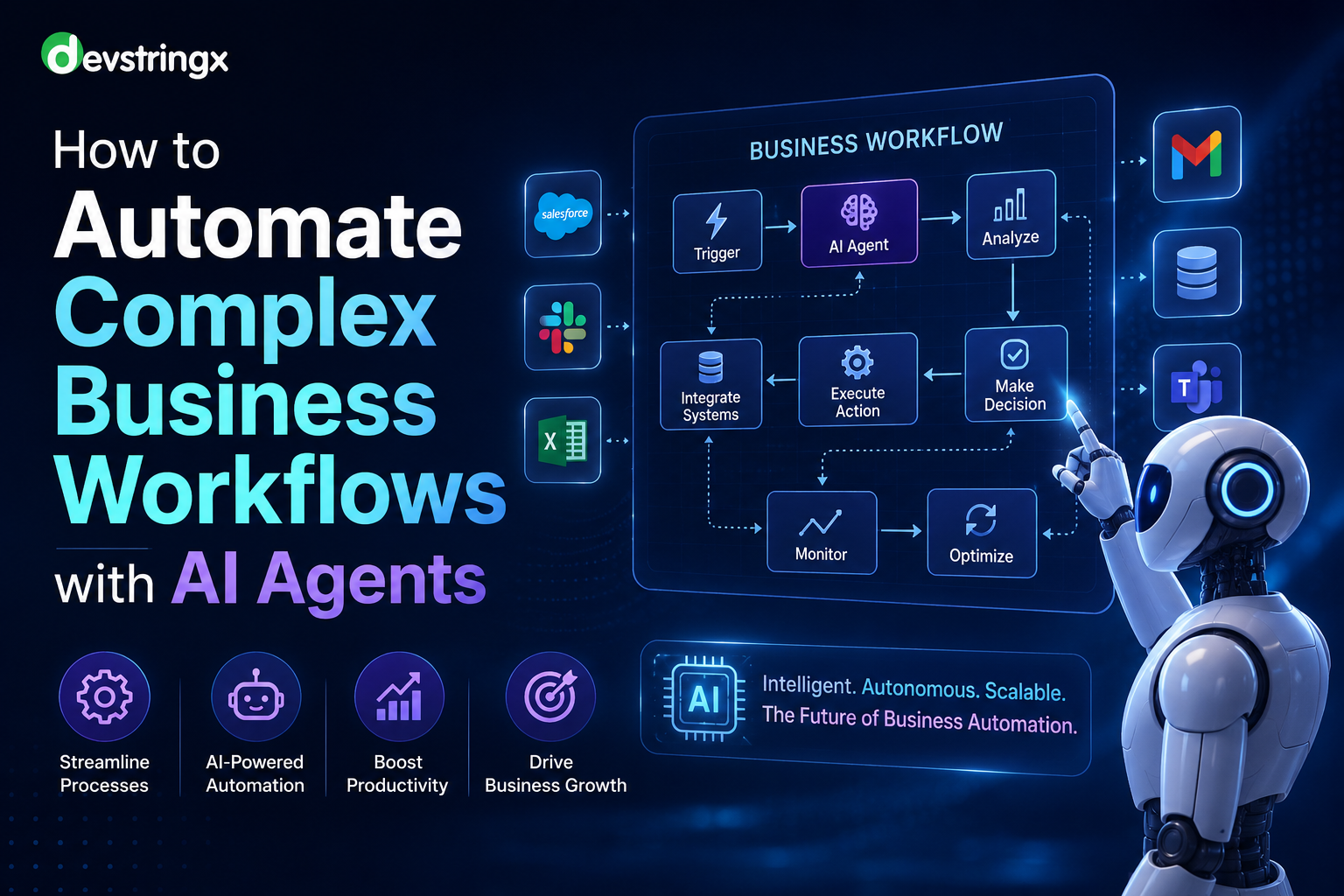
Businesses are increasingly looking for ways to automate complex processes without relying entirely on manual intervention. Traditional automation tools can handle repetitive, rule-based tasks, but they often struggle when workflows involve unstructured data, changing conditions, multiple systems, or decision-making.
This is where AI agents are changing business automation.
AI agents can understand business objectives, analyze information, use connected tools, make decisions within defined boundaries, and execute multiple steps across different systems. Instead of automating only one task, businesses can use AI agents to coordinate complete workflows.
From sales and customer service to finance, HR, IT, and operations, AI agent automation can help organizations reduce manual work, improve response times, and create more efficient business processes.
What Are AI Agents?
AI agents are intelligent software systems designed to perform tasks and achieve specific goals with a certain level of autonomy.
Unlike traditional automation, which generally follows a fixed sequence of instructions, AI agents can evaluate information and determine the next appropriate action based on the context.
For example, a traditional workflow might follow:
New Lead → Send Email → Create CRM Record
An AI agent-based workflow could work like this:
New Lead → Understand Inquiry → Analyze Lead Information → Research Requirements → Update CRM → Personalize Response → Schedule Follow-Up → Notify Sales Team
The AI agent can coordinate multiple actions while following business rules and permissions.
Why Traditional Automation Struggles With Complex Workflows
Traditional automation and RPA are highly effective for predictable processes. However, complex business workflows often contain exceptions and unstructured information.
For example, consider a customer support process.
A simple automation may create a ticket whenever a customer submits a form.
But a complex support workflow may require the system to:
- Understand the customer's problem
- Review previous conversations
- Identify the customer's account
- Check subscription information
- Search the knowledge base
- Determine whether the issue is technical
- Provide a response
- Escalate urgent cases
- Update the CRM
- Notify the appropriate team
A fixed workflow may require dozens of predefined conditions to handle these situations.
An AI agent can provide an intelligence layer that helps interpret the situation and determine the appropriate next step.
How AI Agents Automate Complex Business Workflows
A typical AI agent workflow can be divided into several stages.
1. Define the Business Objective
The first step is to clearly define what the AI agent needs to accomplish.
For example:
- Qualify incoming sales leads
- Process invoices
- Resolve customer queries
- Schedule appointments
- Process employee requests
- Monitor IT alerts
- Manage procurement requests
The objective should be measurable and clearly defined.
2. Map the Existing Workflow
Before introducing AI, document the current process.
Identify:
- Inputs
- Tasks
- Decision points
- Systems involved
- Employees involved
- Approval requirements
- Common exceptions
- Final outcomes
For example:
Customer Request → Validation → Classification → Business Decision → Action → Confirmation
Mapping the process helps identify which steps should be automated and where human intervention is necessary.
3. Identify Tasks Suitable for AI Agents
Not every task needs an AI agent.
AI agents are particularly useful for activities involving:
- Natural language
- Unstructured documents
- Variable inputs
- Contextual decisions
- Multiple systems
- Repetitive research
- Dynamic workflows
Traditional automation may remain better for simple, deterministic tasks.
The best solution is often a combination of AI agents + RPA + APIs + traditional workflows.
4. Connect AI Agents With Business Systems
AI agents become more useful when they can interact with the systems your business already uses.
Depending on the workflow, an AI agent may need access to:
- CRM
- ERP
- Accounting software
- HR platforms
- Databases
- Email systems
- Customer support platforms
- Cloud applications
- Internal APIs
- Knowledge bases
For example, an AI sales agent can read a lead from a CRM, retrieve company information, analyze the lead, update the CRM, and send a personalized email.
5. Give Agents Access to the Right Tools
AI agents should not have unrestricted access to every business system.
Instead, organizations should define specific tools and permissions.
For example:
Sales Agent
- Read CRM leads
- Update lead status
- Create follow-up tasks
- Draft emails
- Schedule meetings
Finance Agent
- Read invoices
- Validate purchase orders
- Check payment status
- Create approval requests
This approach limits unnecessary access and improves security.
6. Use Business Rules Alongside AI
AI should not replace every business rule.
Critical processes should combine AI reasoning with deterministic rules.
For example:
AI Agent: Understands invoice information.
Business Rule: Invoices above a defined threshold require manager approval.
AI Agent: Routes the invoice to the correct approval workflow.
This hybrid model provides flexibility while maintaining business controls.
7. Add Human Approval Where Necessary
Complex business automation should not always be fully autonomous.
A human-in-the-loop approach can be used for high-risk decisions.
For example:
AI Agent → Analyze Request → Prepare Action → Human Approval → Execute
Human approval can be required for:
- Large financial transactions
- Refunds
- Contracts
- Sensitive customer requests
- Legal decisions
- Employee termination
- High-value purchases
This allows businesses to benefit from AI while maintaining human oversight.
8. Monitor Agent Performance
AI automation requires continuous monitoring.
Businesses should track:
- Task completion rate
- Error rate
- Processing time
- Escalation rate
- Cost per workflow
- Human intervention
- Customer satisfaction
- Business outcomes
Monitoring helps identify areas where the agent needs better instructions, additional data, improved integrations, or stronger controls.
Real-World AI Agent Automation Use Cases
AI agents can be applied to many business workflows.
1. Sales Lead Qualification
An AI sales agent can:
- Receive a new lead.
- Analyze the inquiry.
- Identify the customer's requirements.
- Research relevant information.
- Assign a lead score.
- Update the CRM.
- Draft a personalized email.
- Schedule a meeting.
- Notify the sales representative.
This reduces repetitive sales administration and allows sales teams to focus on qualified opportunities.
2. Customer Support Automation
An AI customer service agent can:
- Understand customer questions
- Search knowledge bases
- Review account information
- Generate responses
- Update support tickets
- Escalate complex issues
- Track follow-ups
Instead of simply answering FAQs, the agent can participate in an end-to-end support workflow.
3. Accounts Payable Automation
Finance teams often deal with large numbers of invoices and documents.
An AI finance agent can:
Receive Invoice → Extract Information → Validate Vendor → Match Purchase Order → Identify Exceptions → Request Approval → Update ERP → Notify Finance
AI can help process unstructured invoice information while traditional automation and APIs handle predictable system operations.
4. Employee Onboarding
AI agents can coordinate employee onboarding across multiple systems.
For example:
- Receive employee information
- Create HR records
- Generate onboarding tasks
- Request documents
- Notify IT
- Trigger account creation
- Schedule orientation
- Send welcome information
- Track completion
This can reduce administrative workload for HR and IT teams.
5. IT Service Management
An AI IT agent can monitor support requests and system alerts.
It can:
- Analyze incidents
- Classify tickets
- Search technical documentation
- Recommend solutions
- Perform approved actions
- Create or update tickets
- Escalate unresolved problems
This can improve IT response times while reducing repetitive service desk work.
6. Procurement Automation
AI agents can assist procurement teams by analyzing purchase requests and coordinating approval workflows.
A workflow could look like:
Purchase Request → Requirement Analysis → Vendor Search → Quote Comparison → Policy Check → Approval → Purchase Order
Human approval can remain part of the process for high-value purchases.
AI Agents vs RPA
AI agents and RPA are not necessarily competing technologies.
They can work together.
| Feature | RPA | AI Agents |
|---|---|---|
| Primary approach | Rule-based | Goal-oriented |
| Structured data | Excellent | Excellent |
| Unstructured data | Limited | Strong |
| Natural language | Limited | Strong |
| Decision-making | Predefined | Context-aware |
| Adaptability | Limited | Higher |
| Legacy systems | Strong | Can use APIs/RPA |
| Complex workflows | Limited | Strong |
| Human oversight | Often required | Recommended for critical actions |
A modern business automation architecture can combine both technologies.
AI Agent Workflow Architecture
A typical enterprise AI agent architecture may include:
User/Input → AI Agent → LLM → Business Rules → Tools/APIs → Enterprise Systems → Validation → Human Approval → Action
The AI agent acts as the reasoning and coordination layer.
APIs, RPA bots, databases, CRM systems, ERP platforms, and other tools provide the capabilities required to execute actions.
This architecture allows businesses to create flexible automation without replacing their entire technology infrastructure.
Benefits of Automating Complex Workflows With AI Agents
Reduced Manual Work
AI agents can handle repetitive administrative tasks and coordinate multiple workflow steps.
Faster Processing
Automated workflows can operate continuously and respond much faster than manual processes.
Improved Productivity
Employees can focus on strategic, creative, and customer-facing activities instead of repetitive administration.
Better Scalability
AI automation can help businesses process increasing volumes of work without proportionally increasing manual effort.
Improved Customer Experience
Faster responses and personalized interactions can improve customer satisfaction.
Fewer Manual Errors
Automation can reduce errors caused by repetitive data entry and manual processing.
Better Visibility
Automated workflows can generate logs and performance data that help businesses identify bottlenecks and improve processes.
Challenges of AI Agent Automation
AI agents offer significant benefits, but businesses should also consider the risks.
Data Security
AI agents may interact with sensitive business information. Access controls and secure integrations are essential.
Incorrect Decisions
AI agents can make mistakes. Important decisions should include validation and human oversight.
Integration Complexity
Connecting AI agents with multiple enterprise systems can require significant technical expertise.
Governance
Businesses need clear rules around what agents can access and which actions they can perform.
Monitoring
AI agents require continuous monitoring to ensure they operate as expected.
Cost Management
AI model usage, infrastructure, integrations, and maintenance can affect the overall cost of automation.
How to Implement AI Agent Automation Successfully
Businesses can follow a phased approach.
Step 1: Identify a High-Value Workflow
Start with a process that is repetitive, time-consuming, and measurable.
Step 2: Calculate the Current Cost
Measure:
- Employee hours
- Processing time
- Error rate
- Operational cost
- Customer impact
Step 3: Design the AI Workflow
Determine which tasks should be handled by:
- AI agents
- RPA
- APIs
- Traditional automation
- Human employees
Step 4: Build Integrations
Connect the AI agent to the necessary business systems.
Step 5: Establish Permissions
Define what the AI agent can read, modify, approve, and execute.
Step 6: Add Human Escalation
Create approval checkpoints for high-risk or uncertain actions.
Step 7: Test Before Deployment
Test the agent against normal cases, edge cases, incorrect inputs, and failure scenarios.
Step 8: Measure ROI
Compare the automated workflow with the previous manual process.
Step 9: Scale Gradually
Once the initial workflow performs reliably, expand AI automation to other departments and processes.
How an AI Automation Agency Can Help
Implementing AI agents requires more than selecting an AI model.
Businesses may need support with:
- Workflow analysis
- AI agent architecture
- LLM integration
- RAG implementation
- API integration
- RPA integration
- Database connectivity
- Security
- Testing
- Monitoring
- AI governance
An experienced AI automation agency in USA can help businesses identify high-value automation opportunities and develop intelligent workflows around their existing systems.
Organizations that need fully customized AI solutions can also work with an AI development company in USA to develop AI agents, intelligent applications, and custom automation platforms.
Businesses that require broader software engineering, enterprise integrations, and application development can work with a Software Development Company in Dallas to connect AI automation with existing technology infrastructure.
Future of AI Agent-Based Business Automation
AI agents are likely to become an important component of enterprise automation.
Instead of using a single automation bot, organizations may deploy specialized agents for different business functions.
For example:
Sales Agent → Finance Agent → Customer Support Agent → Operations Agent
An orchestration layer can coordinate these agents and determine which agent or system should handle each task.
This could lead to more connected business processes where AI agents work alongside employees, traditional automation, and enterprise software.
However, the goal should not be complete autonomy in every situation. Controlled automation, clear permissions, human oversight, and strong governance will remain important for responsible AI adoption.
Conclusion
AI agents are changing how businesses approach workflow automation.
Traditional RPA remains highly effective for predictable and rule-based tasks, but AI agents can extend automation into workflows involving natural language, unstructured information, contextual decisions, and multiple systems.
By combining AI agents, RPA, APIs, business rules, workflow orchestration, and human oversight, businesses can automate complex processes without completely replacing their existing technology infrastructure.
The most successful AI automation strategies start with a specific business problem, measure the potential value, automate a high-impact workflow, establish appropriate controls, and then scale gradually.
For organizations looking to improve productivity, reduce operational costs, and modernize business processes, AI agent automation provides a practical path toward more intelligent and scalable operations.
Frequently Asked Questions
What are AI agents in business automation?
AI agents are software systems that can understand objectives, analyze information, use connected tools, and execute multiple tasks to complete defined business workflows.
Can AI agents replace RPA?
AI agents do not necessarily replace RPA. RPA remains useful for predictable, structured tasks, while AI agents can handle more dynamic and context-dependent activities. Combining both can create more effective automation.
What business processes can AI agents automate?
AI agents can automate workflows across sales, customer support, finance, HR, IT, procurement, marketing, operations, and other business functions.
Are AI agents safe for business automation?
AI agents can be used safely when businesses implement appropriate access controls, permissions, monitoring, testing, governance, and human approval for high-impact actions.
How much does AI agent automation cost?
The cost depends on workflow complexity, number of integrations, AI model usage, data requirements, security requirements, customization, and ongoing maintenance.
How should a business start with AI agents?
Start with one repetitive, high-value workflow. Map the existing process, identify suitable AI tasks, integrate the required systems, establish human oversight, measure results, and expand automation gradually.
Why hire an AI automation agency?
An AI automation agency can help analyze business processes, design AI agent workflows, integrate AI with existing software, implement automation, and establish monitoring and governance.

 English
 Arabic
 French
 Spanish
 Deutsch
 Turkish
 Dutch
Dutch
 Italiano
 Russian
 Romaian
 Portuguese (Brazil)
 Greek
Greek